
Slack Integration
Strety's Slack Integration: Drive EOS adoption by running it in your favorite tools
Create Issues, Headlines, and To Dos without ever leaving Slack — not even to check what’s going on in Strety! And you’ll never miss a beat with Strety notifications that land right in your chat. Built for teams using Slack as their preferred comms channel, and Strety as their favorite EOS software 💜
How the Strety + Slack integration works
Keep EOS flowing from any channel in Slack, and get notified about your Strety updates without logging in!

Create from Slack
A chat in Slack grabs your attention? Create a Strety To Do, Issue, or Headline via the 3-dot menu — done in a couple clicks.

Get EOS updates in Slack
Get updates and reminders on everything Strety with notifications that land right in Slack — stay on top of your EOS workflow without clicking around.
How to set up the Slack integration in Strety
Send Issues, Headlines, and To Dos directly from your Slack chat to minimize clicks and maximize EOS adoption. Note: this is a personal integration and you’ll need to use the same email address for Slack and Strety.
Step 1:
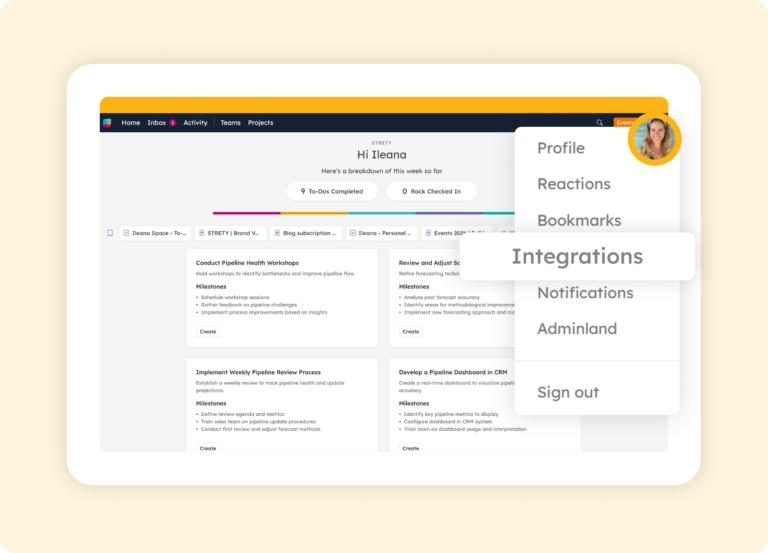
Access Integrations
Navigate to your Strety profile (where you see the icon with your pic or initial in Strety), then click on Integrations.
Step 2:
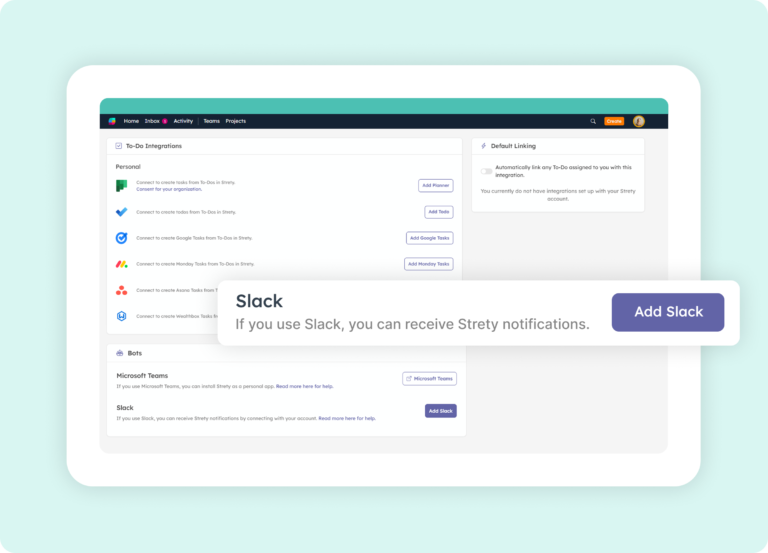
Select Slack
Click on Add Slack from the Bots section. You’ll find this underneath our customer-beloved To Do integrations list.
Step 3:
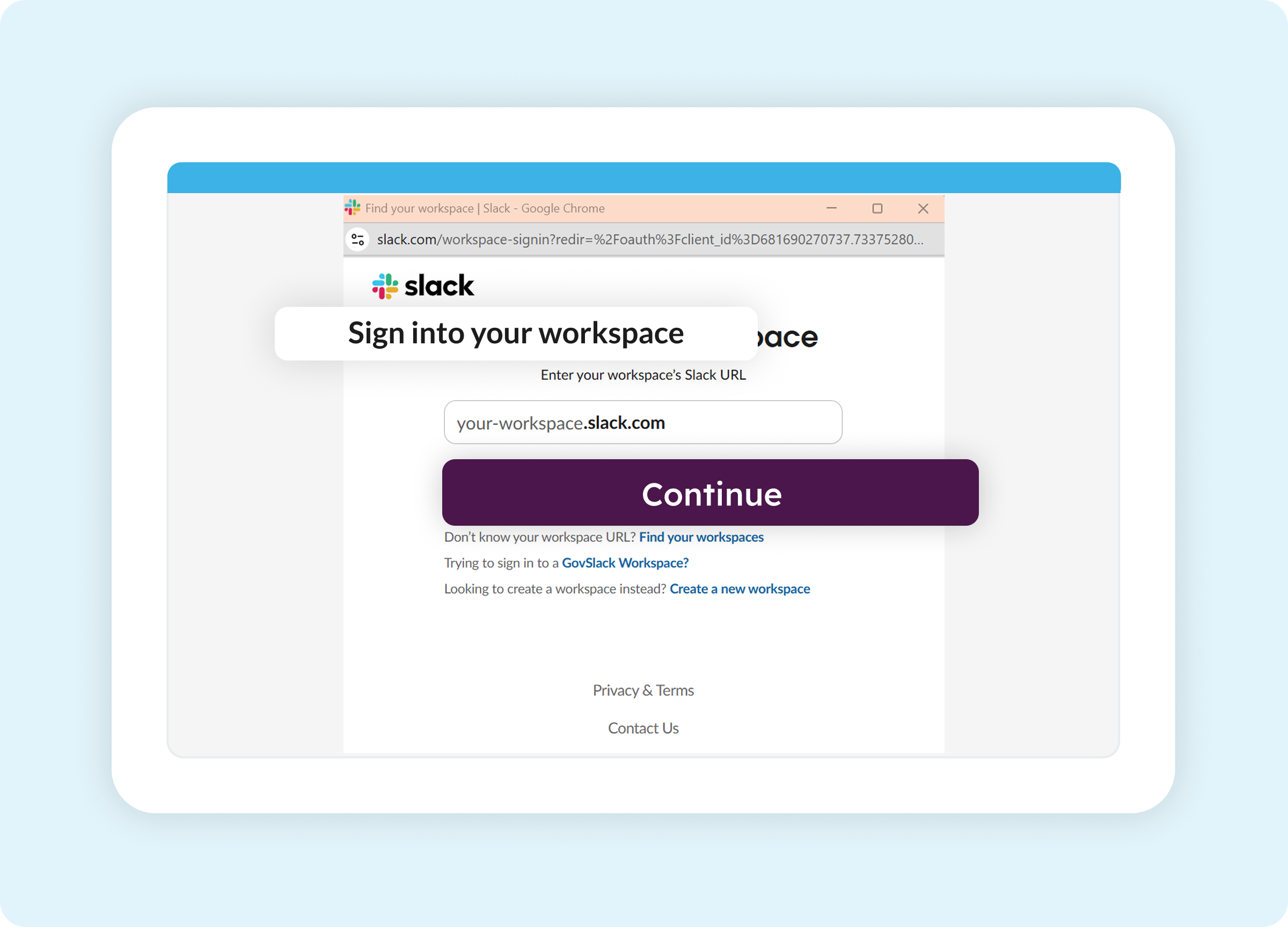
Choose your workspace
Choose your company workspace in Slack to proceed (using the same email associated with your Strety account). Then allow the Strety app to access Slack.
Step 4:
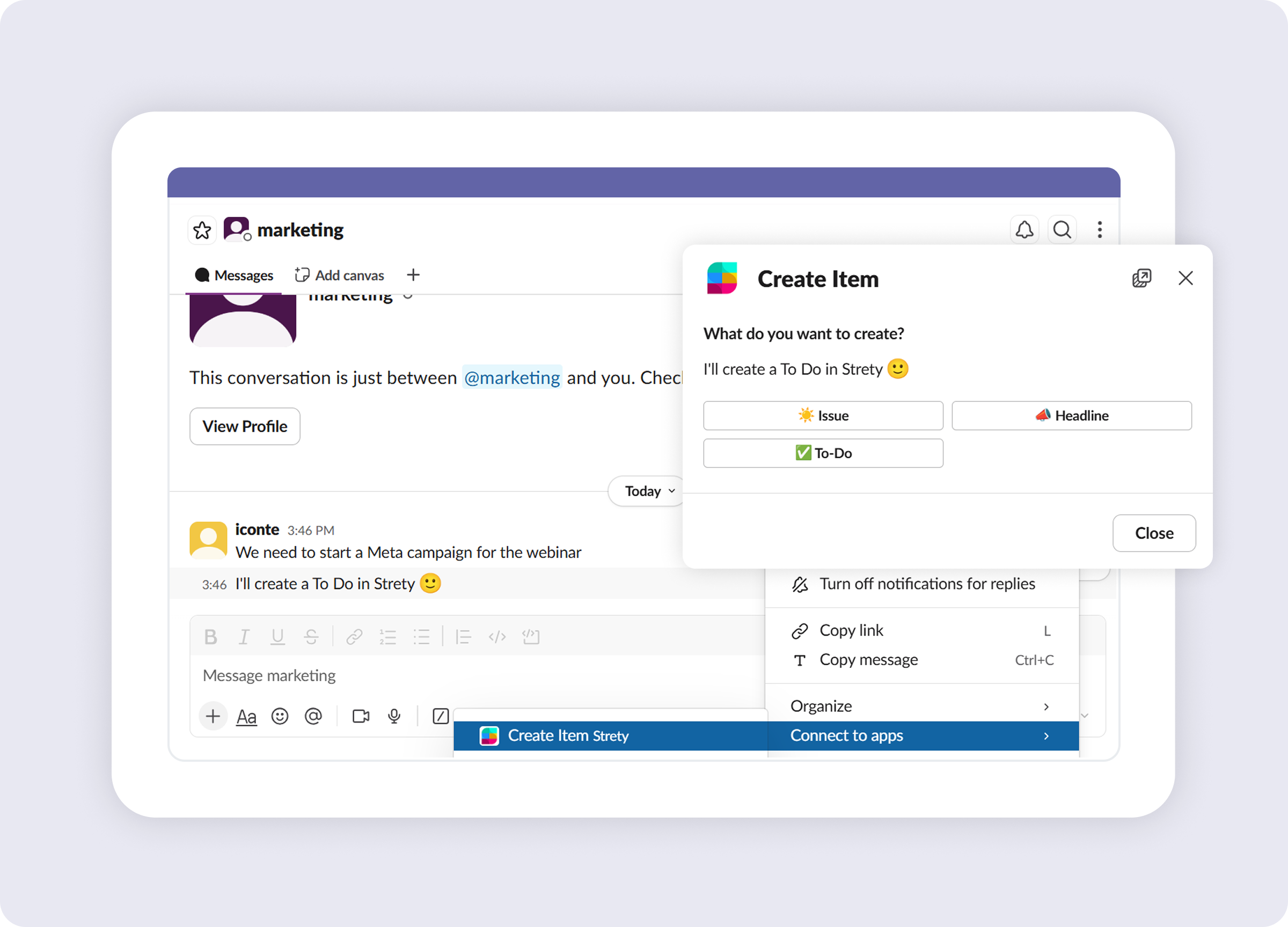
Create from your chat
You’re all set — get the machine moving from Slack! Create your Strety To Dos, Issues, and Headlines while chatting with the team. Simply click on the three dots from any chat message, and you’ll be able to create a Strety item from the app connector option. No more hopping between windows to stay on top of it all.
How to get Strety notifications in Slack
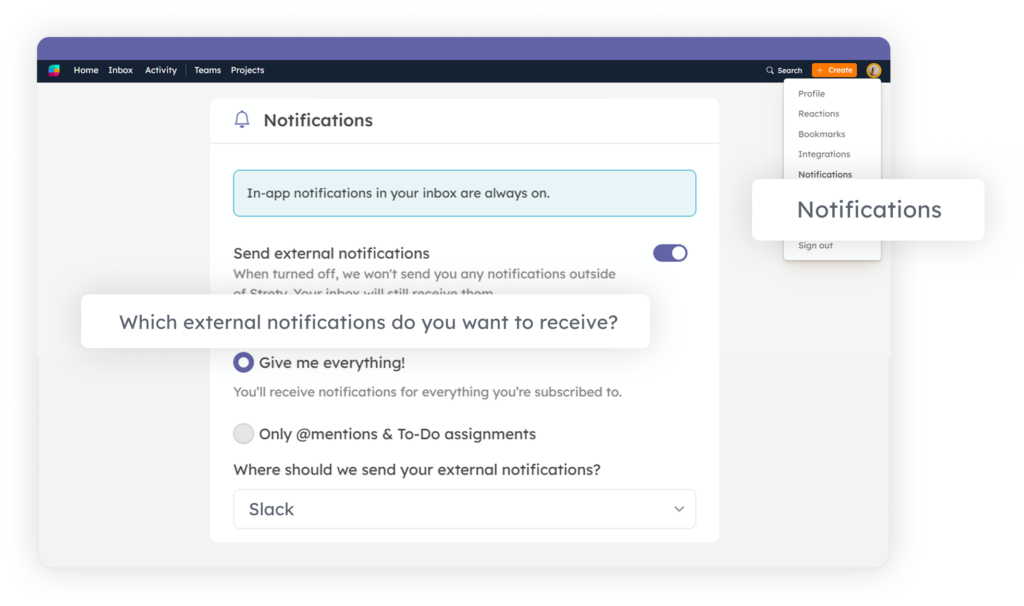
On Slack all day? Get your Strety notifications right there. Setup only takes a few clicks (completely worth the amount of time you’ll save afterwards). After the Slack integration has been installed in Strety, go to the Notifications center under your Strety profile. Select Slack as your preferred option. That’s it — enjoy fewer open tabs!

Frequently asked questions about Strety’s Slack Integration
How do I know if Strety has been integrated correctly in Slack?
Once you add Strety as your EOS software integration in Slack, you will see a new channel called Strety under your Agents and Apps section in Slack. A welcome message will be waiting for you with the link to our Slack integration help guide for further guidance.
Is the Slack integration included with Strety?
Yes. The Slack integration is part of Strety’s integration ecosystem and available to all users at no additional cost. You’ll just need an active Slack account to connect it.
Does the Slack integration need to be implemented by the whole company to work for me?
No. Slack is a personal integration in Strety, and you can add it to your individual workflow even if your company hasn’t rolled it out to the whole team. You just need to use the same email for both platforms, and set it up whenever you’re ready.
What items can I create in Strety from my chats in Slack?
While chatting with your colleagues in any Slack channel, you can easily create a Strety To Do, Issue or Headline from the three dots menu of the message. It’s as simple as it sounds.
Can I get Strety notifications directly in Slack?
Yes, you can set up Strety notifications to get them synced with Slack. You’ll get messages with updates from Strety directly in your chat.
What other integrations does Strety support?
Strety meets you right where you work, with multiple integrations, including Asana, Monday.com, HubSpot, ClickUp, Google Tasks, Todoist, several PSAs, and MCPs to connect with AI assistants like Claude and ChatGPT.
Who is the Strety + Slack integration built for?
The integration is built for EOS teams who run their accountability and meeting cadence in Strety and use Slack for day-to-day execution. It’s especially useful for Integrators, Visionaries, and team leads who want to drive EOS adoption by incorporating the tools into everyday workflows.
What people love about Strety’s integrations 

Great EOS tool for project management and performance management with two-way integrations with Microsoft teams, Asana, Slack…etc. Super easy to use!

Strety’s intuitive UI and seamless integrations have been a breath of fresh air for our daily operations.
More to Explore
Help Docs
Want a full walkthrough on setting up the Strety + Slack integration? Start here.

All Integrations
Discover more of Strety’s integrations to connect your fav tools with your EOS® implementation.
More Features
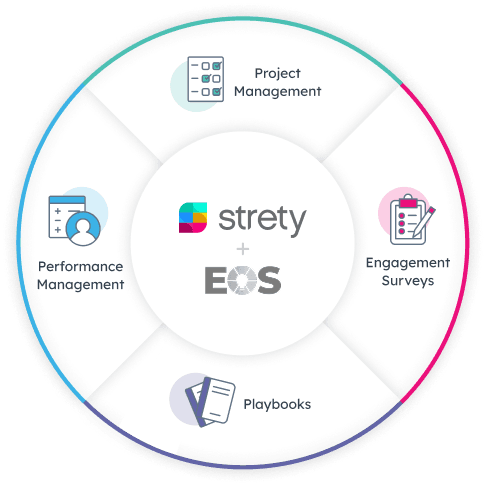
Check out Strety’s built-in tools for EOS® implementation plus everyday execution.
Want to test-drive the Strety + Slack integration?
Start your free trial now to experience how it feels to get EOS moving without ever leaving your fav comms tool 😎