L10 Meetings in Strety

EOS L10 meeting software with its own AI Assistant

Run your whole L10 in Strety: Segue, Scorecard, Rocks, Headlines, To-Dos, and Issues — everything linked together and saved meeting after meeting. Create or resolve Issues and cascade messages without ever leaving the agenda. An AI Assistant catches the To Dos everyone forgot and runs IDS and sentiment analysis to help you run better and better L10s. For extra fun, turn on customized GIFs for tangents and closing the agenda — plus, confetti for any issue you solve!
Running the L10 in Strety

How Strety's L10 Meetings Work

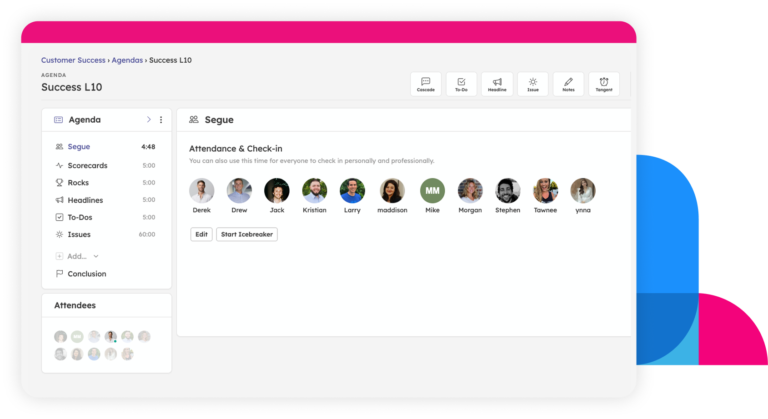
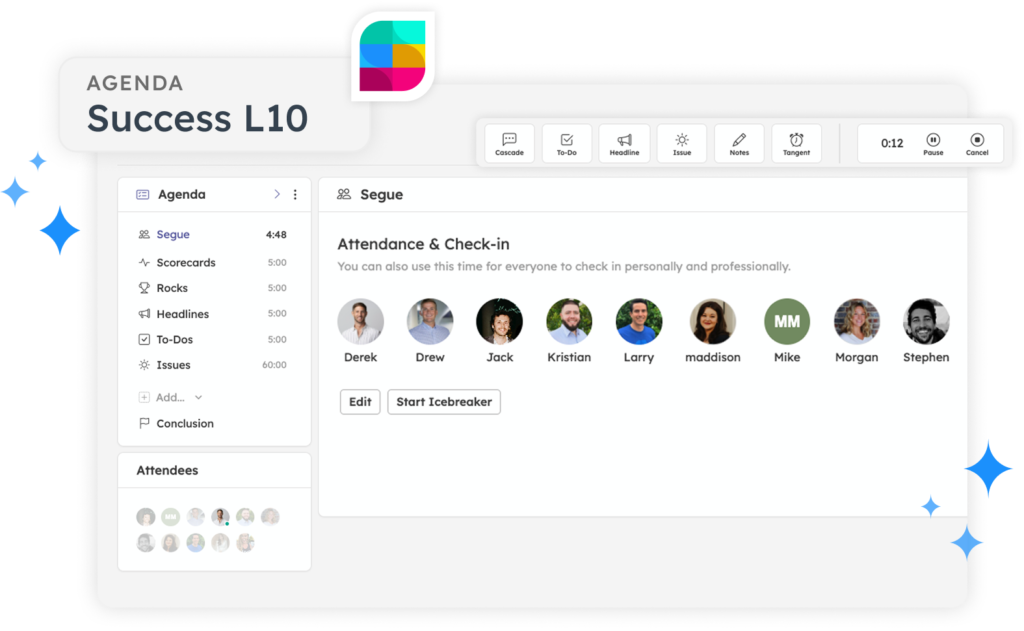
Your first L10 in Strety is ready in minutes — pick a Facilitator and the seven sections are already built, timed, and waiting for you. Every past meeting is saved in your L10 agenda space, so finding what was discussed three months ago takes just a scroll.
The seven L10 agenda sections populate ready to go in alignment with the proven EOS model: Segue, Scorecard, Rocks, Headlines, To-Dos, Issues, and Conclude.
Start the L10 agenda in Strety
Each section has its own built-in timer to nudge you along.
Create a Cascading Message, a To-Do, an Issue, or a Tangent Alert from the top nav at any point.
Run your L10 smoothly in Strety
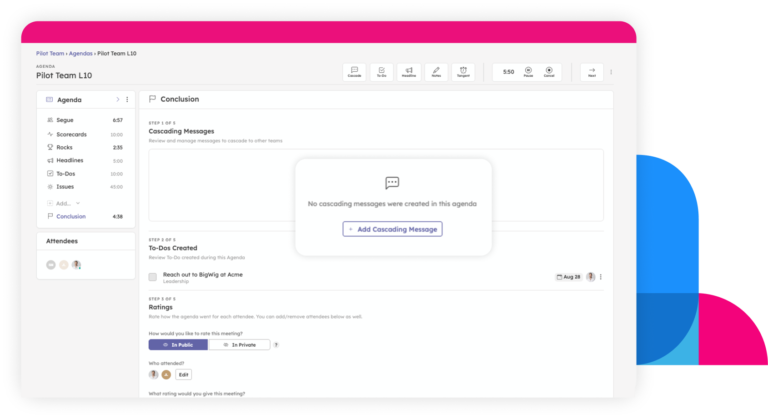
Review every To Do created, send your Cascading Messages and rate the meeting.
Strety emails the summary to everyone — attendees and absentees — the moment you’re done.
Conclude your L10 agenda in Strety

Get more out of your L10s with Strety’s AI Assistant

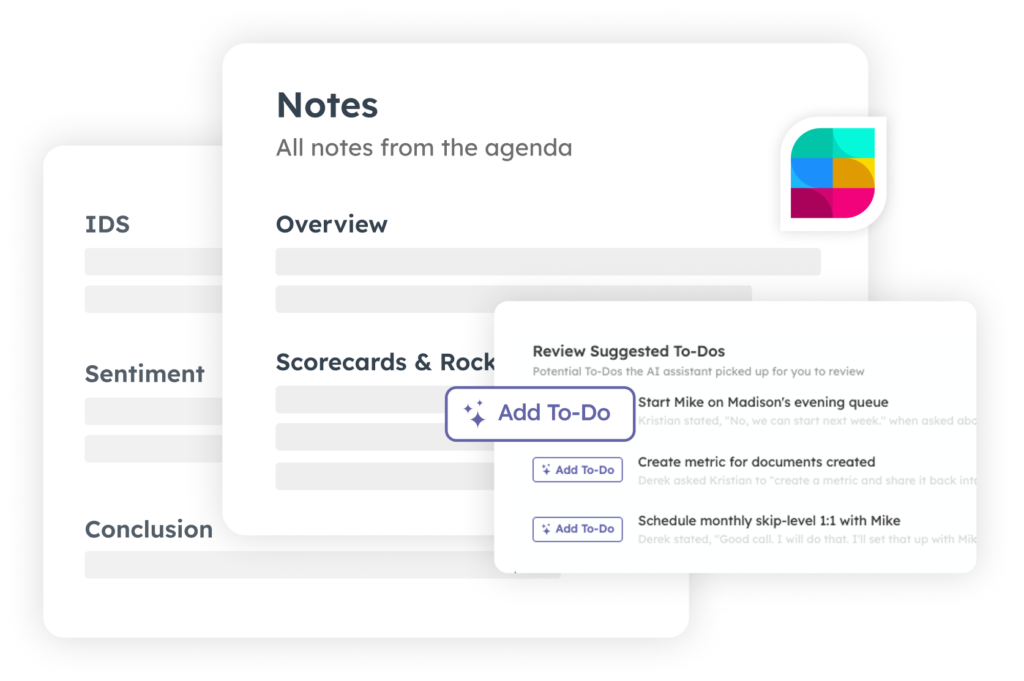
Let your Scribe focus on the discussion and leave the notes to Strety’s AI Assistant. It joins your call on Teams, Zoom, or Google Meet and works in the background while you run the meeting to catch To Dos’ accurate resolution notes. After the meeting, it analyzes sentiment across the room, each person’s share of the conversation, and whether your IDS actually hit the root cause. Review, edit, or reject every suggestion and note before you close the meeting — you stay in the driver seat while the AI Assistant helps you navigate.

Run different meetings on the same engine

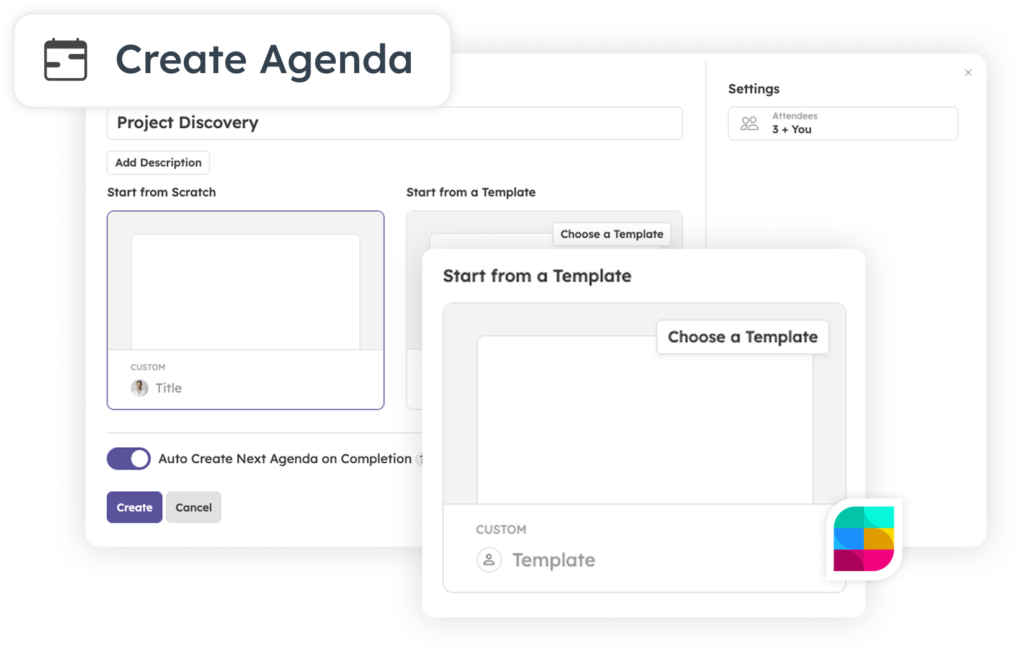
The same engine behind your L10 handles everything else too. Build a Custom Agenda for Daily Huddles, Client QBRs, or Project Kickoffs — add Rocks, Scorecards, or Issues to any of them, and every attendee still gets an automatic summary when it’s done. 1:1 agendas are generated automatically for every manager and direct report, with conversation history carried forward every time you meet. Reviews work the same way — a two-way form both manager and employee fill out in advance, with every item flowing straight into the review agenda.
Create your custom agenda in Strety

The EOS L10 software people love

A good meeting shouldn’t take more effort to run than the work it’s supposed to unblock. Here’s what EOS teams count on Strety’s L10 for.

AI Assistant

Get the Assistant that catches missed To Dos, captures IDS solutions, and gives you a real read on how the meeting went, while you focus on making the machine move.

Meet where you work

Run your entire L10 without ever leaving Microsoft Teams — Strety meets you right where you are.

Make your L10 fun

Kick off your Segue with an Icebreaker, call out a wandering Tangent with a rotating GIF, and celebrate every solved Issue with confetti — make L10s fun and memorable!

Suggested Issues

Easily spot which Metrics need an Issue — Strety flags anything off track for two weeks running.

Cascading messages

Flag a message for another team, and Strety creates a To Do so it never gets forgotten after the meeting ends.

Control the timing

Pause the agenda when you need, then pick up right where you left off. The Next button keeps things moving when you’re ready.

Frequently asked questions about Strety's EOS L10 Meetings

EOS® L10 meeting software runs the seven-section Level 10 agenda — Segue, Scorecard, Rocks, Headlines, To Dos, and Issues — with built-in timers, an Issues list, and automatic follow-up between meetings. In Strety, everything stays connected instead of living across a document, a spreadsheet, and a chat thread.
Strety’s L10 runs natively inside Microsoft Teams and syncs To-Dos two-way with Microsoft Planner, Asana, ClickUp, and Monday.com. Strety is also an officially licensed EOS Worldwide software, so the agenda, terminology, and structure match the methodology exactly.
Yes — Strety’s AI Agenda Assistant joins your call, catches To-Dos that were discussed but never captured, records the actual solution from IDS, and gives you a recap on how the meeting really went.
Trial accounts get unlimited AI Assistant usage in Strety. Paid accounts include 6 hours per billing cycle, per account, and the allowance resets each cycle. Additional time is billed at $2.00 per hour.
Yes. The AI Assistant joins your call as a visible participant named “Strety AI Assistant,” with an audio notice when recording starts. Recording and transcription run through SOC 2 compliant providers, who delete recordings and transcripts 7 days after processing. Strety doesn’t store audio or video, and your transcript is processed with zero data retention and never used to train models. The transcript saved in Strety stays until you delete it.
Yes — Custom Agendas run the same engine for Daily Huddles, Project Kickoffs, Client QBRs, one-off Problem Solving sessions, or a Secondary L10 for a team that needs its own separate rhythm.
The AI Assistant in Strety supports Google Meet, Microsoft Teams, Webex, and Zoom. The core L10 agenda also runs as a full app inside Microsoft Teams, so you can run the meeting without leaving it.
Yes — most teams are running their first L10 in Strety within about a week. Strety also offers free migration services to help move your existing Scorecard and Rocks data over.

L10 Meetings are part of the core Strety software which starts at $13/seat, month to month, no contracts or gotchas. See details and volume pricing breaks at strety.com/pricing.

Yes — start your free 30-day trial, no credit card required, and run your first L10 before you commit to anything.

More to Explore

Want a full walkthrough on running an L10 in Strety, section by section? Start here.
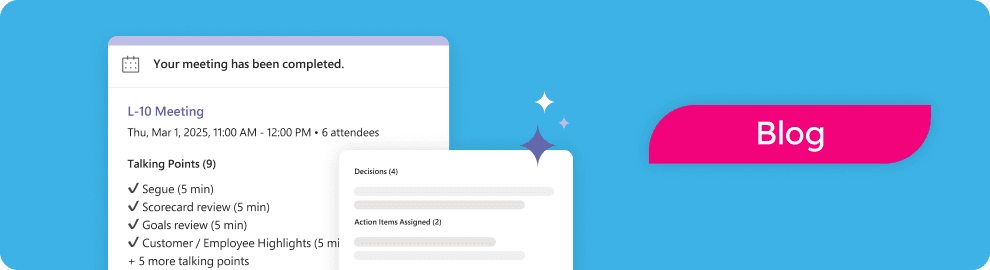
Overview of meeting completed in Strety, for AI suggestions
Free templates, agendas, and best practices for getting the most out of your L10 — whether or not you run it in Strety.
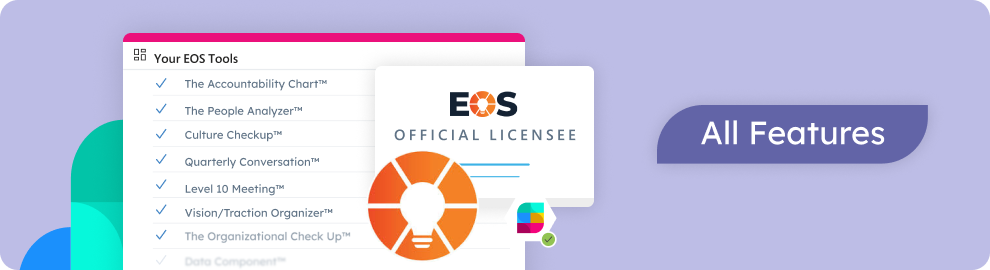
Discover all Strety’s built-in tools for EOS® implementation plus everyday execution.

Want to test-drive an L10 in smarter EOS software?

Start your free 30-day trial in Strety and run your next L10 with an AI Assistant that catches what everyone else misses.

Proud Platinum sponsor for the EOS community! Join us: