Scorecards in Strety

EOS Scorecard software that drives action with data

Skip gut decisions and rely on facts with Strety EOS Scorecard software. Get your most important numbers into a weekly rhythm that sticks. Strety’s Scorecard makes it easy for your team to know if they’re on track before their weekly L10 — no more spending an hour figuring out numbers.
EOS Scorecards in Strety

How Strety's Scorecards work

It takes seconds to create and check your Measurables in Strety. In a few simple clicks, you’ll know what’s really going on at a glance.
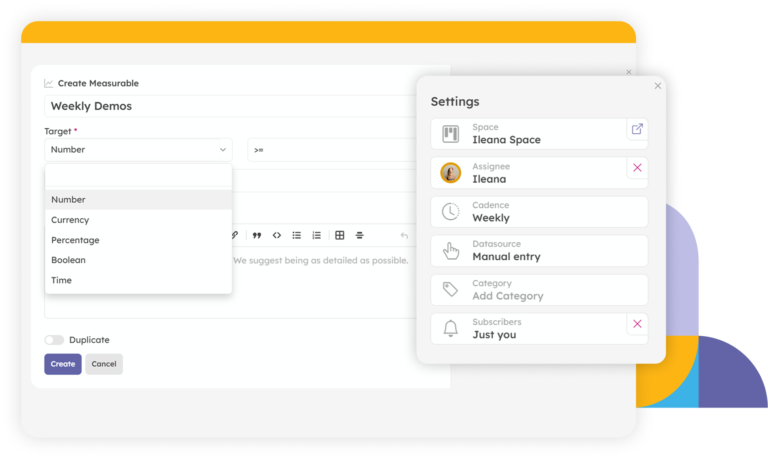
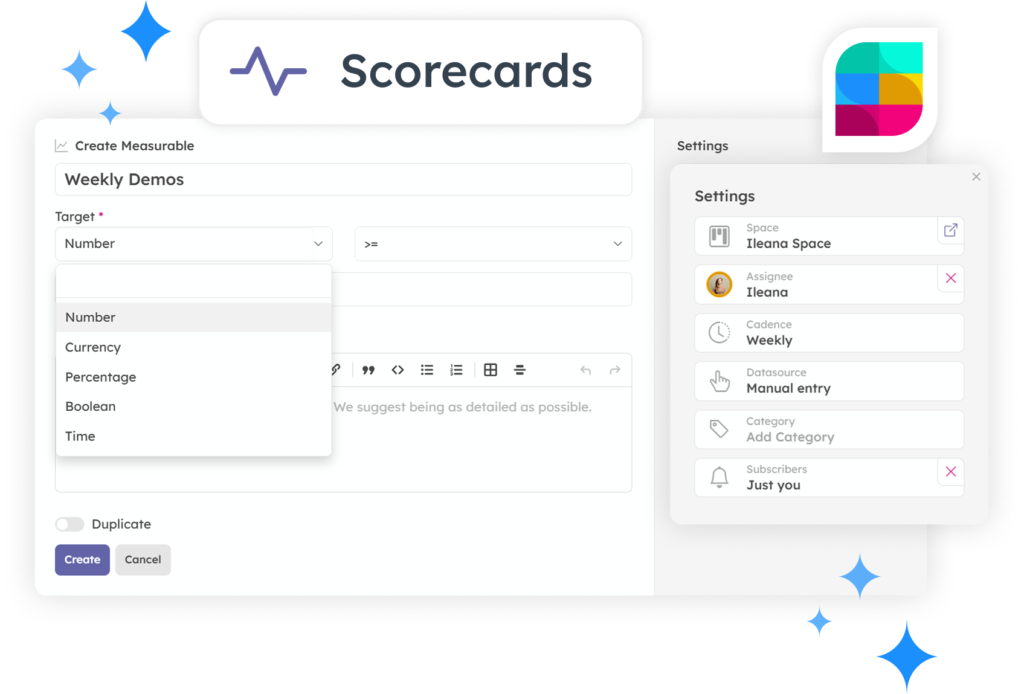
Head to a Scorecard page in Strety and click Create to add a new Measurable.
Give it a Name, an Owner, and a Team or Project Space — Strety places the Scorecard in the Owner’s space automatically.
Create EOS Scorecards in Strety
Choose the Type, Format, and Target for each Measurable — or build a Calculated Measurable from a formula.
Set variable targets for seasonal swings. Share any Measurable across every team that needs to see it.
Choose your Scorecards settings in Strety
Check in your numbers from your team’s Scorecard or your own Personal Scorecard page.
Enter the value, add context if desired, and you’re done — green or red will let you know where you are, no more guessing.
Check in your metrics in Strety
AI Suggestions for EOS Rocks in Strety

Move the needle faster with AI Suggestions for EOS Scorecards

Not sure what to track? Strety’s AI Scorecard Suggestions looks at your V/TO, annual goals, and your seat’s responsibilities to recommend Measurables that move the needle. Add your own instructions to fine-tune the focus, and get ideas for numbers that matter.

The EOS Scorecard software people love

Tracking numbers should make your week easier, and it should tell you more than red or green. Strety connects your Scorecard to to your Process and Accountability Chart, driving accountability — and traction

Chart view

Overlay up to 10 Measurables on a single chart to see how they move together.

Label by category

Sort your Scorecards by category to keep your EOS metrics organized in Strety.

Choose your view

View your Scorecard by Owner, Category, or Space, or ungrouped — your choice.

Use formulas

Build formulas from your existing Measurables for aggregated targets, instead of tracking the math by hand.

Flexible targets, fuller picture

Set variable targets for seasonal swings, or turn on Average and Total columns to see beyond just this week’s number.

Catch Issues early

If a Measurable is showing in red, create an Issue in one click — work through it in your next L10 before it becomes a bigger problem.

Frequently asked questions about Strety's EOS Scorecards

EOS® Scorecards software helps you track the weekly numbers that give you an honest pulse on the business. In Strety, Measurables live inside assignee spaces — they are linked directly to L10 meetings. You can also link Measureables to Seats on the Accountability Chart and Strety’s Process tool to create a holistic picture of accountability across your EOS implementation.
Every Measurable connects natively to your Accountability Chart Seats and the built-in Process Tool in Strety — link a Measurable directly to the Core Process it’s meant to track, so you always know whether that process is actually working. Off-track Measurables also get automatically suggested as Issues after two weeks of missing the mark.
Yes — Strety’s AI Scorecard Suggestion tool creates relevant suggestions in seconds, combining your account context and our EOS knowledge database, so you always start with Measurables based on your seats, responsibilities, and goals. However, you’re always in control and can choose if moving forward with the suggestions or not.
You’re always in control — the AI Scorecard Suggestion tool is there to help you get started or get unstuck, but you can write, edit, or replace any suggested measurable yourself.
Yes. If a Scorecard misses its target, you can create an Issue instantly in Strety from the three dot menu and work the problem in your next L10. You’ll also be able to choose from the yellow suggested Issue bar that pops up when Measurables hit red two weeks in a row.

Yes — check in your numbers from Strety’s iPhone or Android app between meetings. Stay on top of your EOS workflow even when you’re away from your desk!

Yes — many teams make the switch. Recreate your current Measurables with an owner, target, and format, and you’re ready to run your next L10 in Strety without missing a beat. You can also use Strety’s MCP to check in Scorecards or pull your numbers directly from your AI tool of choice, without leaving the chat.

Strety includes EOS Scorecards as part of its core offering, starting at $13/seat, month to month, without contracts. See details and volume pricing breaks at strety.com/pricing.

Yes — start your free 30-day trial, no credit card required, and build and start checking in your first Scorecard before you commit to anything.

More to Explore

Want a full walkthrough on how to work with EOS Scorecards in Strety?
Discover all Strety’s built-in tools for EOS® implementation plus everyday execution.

Check out Strety’s integrations to connect your fav tools with your EOS® implementation.

Skip the spreadsheet madness and start building a real EOS Scorecard in Strety

Start your free 30-day trial in Strety and turn this week’s numbers into next quarter’s clarity.

Proud Platinum sponsor for the EOS community! Join us: