Shoutouts in Strety

EOS software that makes recognition a habit

Strety’s Shoutouts makes recognition a habit. Tag a teammate, name the Core Value they demonstrated, and add a note, right inside the software you already run EOS on. Every Shoutout is available to embed in your next Review, and represents a specific, visible moment of what living your Values actually looks like. Shoutouts are the kind of recognition that keeps people engaged, feeling like they belong, and performing at their best.


Make recognition a habit through Shoutouts in Strety

How Strety's Shoutouts Work

Send a Shoutout in Strety in seconds, whether you’re recognizing one person or a whole team.

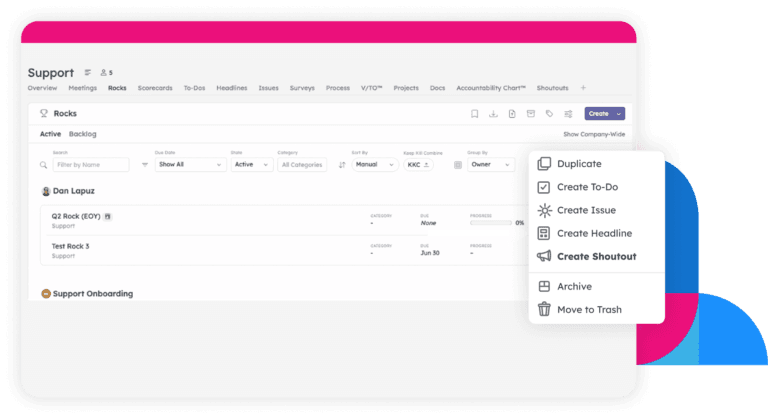
Use the global Create button, hover a teammate’s profile, or click the 3-dot menu on the Rock, Measurable, To Do, or Issue that prompted it.

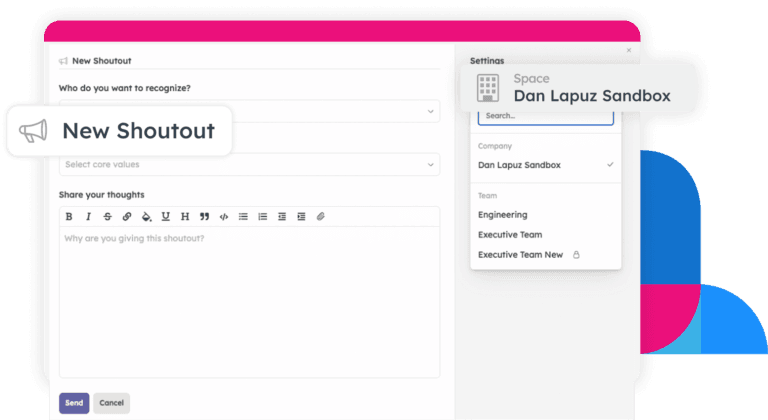
Pick your recipient, tag the Core Value(s) they lived, and add a note of appreciation.

Strety's visibility icon

Keep it inside a Team, Project, or Person Space, or send it to the Company feed, visible to everyone by default.

Either way, the right people get notified.

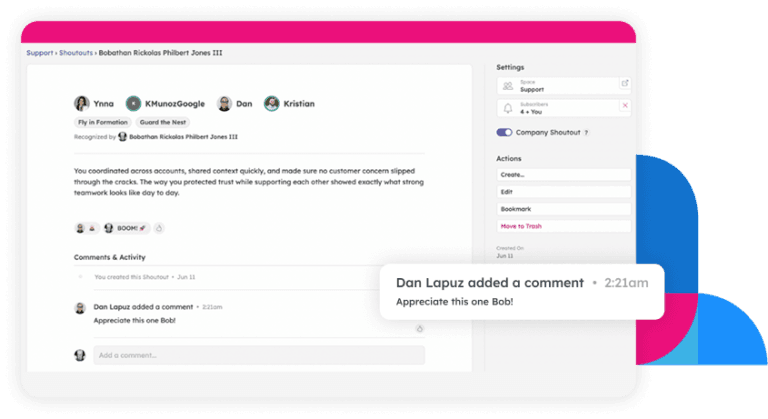
Add a reaction to a shoutout or add a comment.

Or turn the moment into something bigger — create a related To Do, Issue, or Headline straight from the Shoutout.

Comment Shoutouts in Strety

Walk into every review already knowing the wins

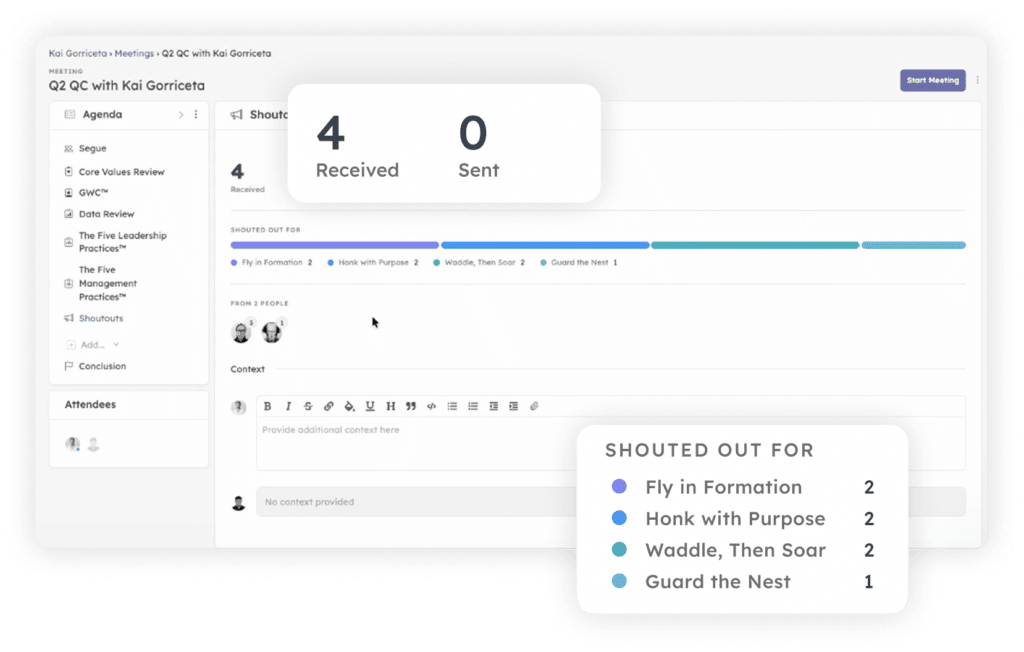
Add a Shoutouts section to any Review form in Strety, and it shows exactly what a direct report was recognized for during that period — which Core Values, how often, and by whom. See what they received and what they gave, since recognizing others is its own signal worth watching. Once the Review is filled out, that same Shoutouts data carries straight into the Review Agenda, so the wins are already part of the conversation, ready for Reviews.

Your culture by the numbers

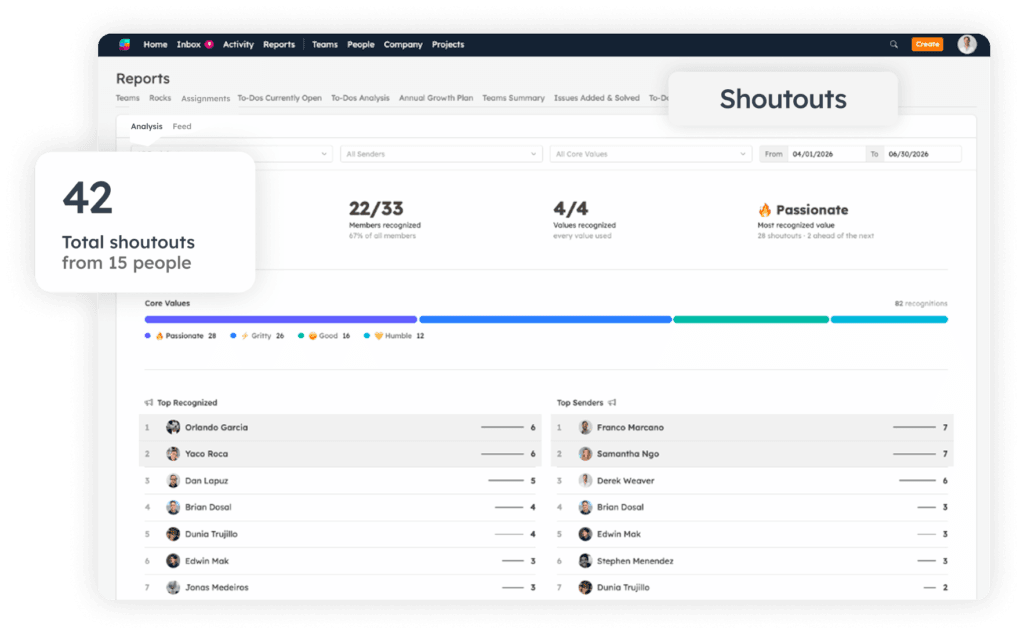
See total Shoutouts over time, how many different people and Core Values are actually showing up, and which single Value gets recognized most across the company. Leaderboards rank who’s sending and who’s receiving, and one filtered feed pulls in both company-wide and team-specific Shoutouts together. It’s real enough to spark some friendly competition — plenty of teammates end up racing each other to the top of the leaderboard.

The EOS recognition software people love

Recognition works when it’s visible and accessible. Here’s what makes Strety’s Shoutouts stick.

Send directly from MS Teams

Recognize someone right from a Teams conversation, then choose whether it goes company-wide, to a team, or to just that person.

Recognize more people

Tag multiple people and multiple Core Values in a single Shoutout when the whole team earned it.

Add to your agendas

Add a Shoutouts view to any 1:1, team, or leadership Agenda, so recent recognition surfaces right where the conversation happens.

Get daily digest emails

Get a daily summary of recognition activity — on by default for Integrators and Visionaries, optional for everyone else.

Filter & find

Search by recipient, sender, Core Value, or date to find exactly the moment of recognition you’re looking for.

Easily switch to pure

Shoutouts is on by default, however if you prefer a EOS Pure experience, simply turn off the Shoutouts toggle in Adminland.

Frequently asked questions about Strety's EOS Shoutouts

EOS® Recognition software ties everyday recognition directly to your Core Values. In Strety, every Shoutout is tagged to a Core Value and rolls up into your Agendas, Reviews, and reports automatically.

Standalone recognition tools don’t connect to the rest of your EOS system. Strety’s Shoutouts sit right next to your Rocks, Scorecard, People Analyzer, and Reviews, so recognition data feeds directly into the conversations you’re already having, and make the core values you’ve captured in your V/TO relevant on a daily basis.

Yes — tag multiple recipients and multiple Core Values in a single Shoutout.

Yes — add a Shoutouts section to any Review form in Strety, and it shows exactly which Core Values a direct report was recognized for during that period, plus who recognized them.

Yes — recognize someone right from a Teams chat conversation, then choose whether it’s shared company-wide, with a specific team, or just with that person.

Yes — create a related item directly from any Shoutout so the context stays connected to the recognition that prompted it. Works for any comment in Strety, too!

Yes — Strety’s Shoutout Reports show total Shoutouts, which Core Values show up most, and leaderboards for top senders and recipients, filterable by person, value, or date.

No — you choose per Shoutout whether it stays inside a Team, Project, or Person Space, or goes to the Company feed, which is visible to everyone by default.

It’s on by default. If your team wants to keep things strictly EOS Pure, an Admin can turn it off from Adminland > Advanced Features.

Shoutouts is part of the core Strety platform which starts at $13/seat, month to month, no contracts or gotchas — all features included. See details and volume pricing breaks at strety.com/pricing.

Yes — start your free 30-day trial, no credit card required, and send your first Shoutout before you commit to anything.

More to Explore

Want a full walkthrough on creating, sharing, and reporting on Shoutouts in Strety? Start here.

Overview of meeting completed in Strety, for AI suggestions

Why we built Shoutouts, and what changed when we started using it ourselves.

See how Shoutouts fits alongside Core Values, GWC, and the rest of the People side of EOS.

Want to see the impact of making recognition a daily habit?

Start your free 30-day trial in Strety, and watch your Core Values turn from a line in the V/TO into something your team feels connected to 💜

Proud Platinum sponsor for the EOS community! Join us: