Asana Integration
Strety's Asana Integration: Two-Way Sync for EOS Teams
Strety’s two-way Asana integration syncs your tasks and To Dos automatically across both platforms. Connect your EOS software with Asana — no more double clicking or wondering which platform still needs to be updated. Built for teams who run EOS in Strety and manage projects in Asana.
How the Strety + Asana integration works
Organize your work in one space, and get all Asana Tasks and Strety To Dos (and due dates) automatically updated when changed in either platform with the two-way sync.

One-click Creation
Create a linked To Do in Strety (and your synced task in Asana) with one click — no extra steps.

Synced updates
Create and update To Dos in Strety and they get updated in Asana — and vice versa. No more checking each platform.

Done and done
Close it out in one platform, it’s closed in another — you click once, your tasks disappear twice.
How to set up the Asana integration in Strety
In just four easy steps and a few clicks you’ll be all set and ready to start organizing your Strety tasks in Asana. It’s that simple. Note: before you start, make sure you have an active Asana account using the same email as your Strety account.
Step 1:
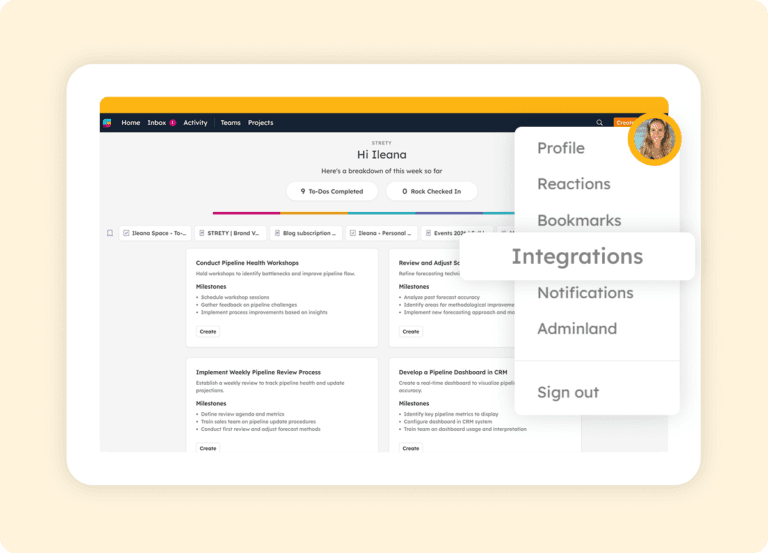
Access Integrations in your Profile
Go to your Strety profile (the icon with your pic or initial on the top right), then click on Integrations.
Step 2:
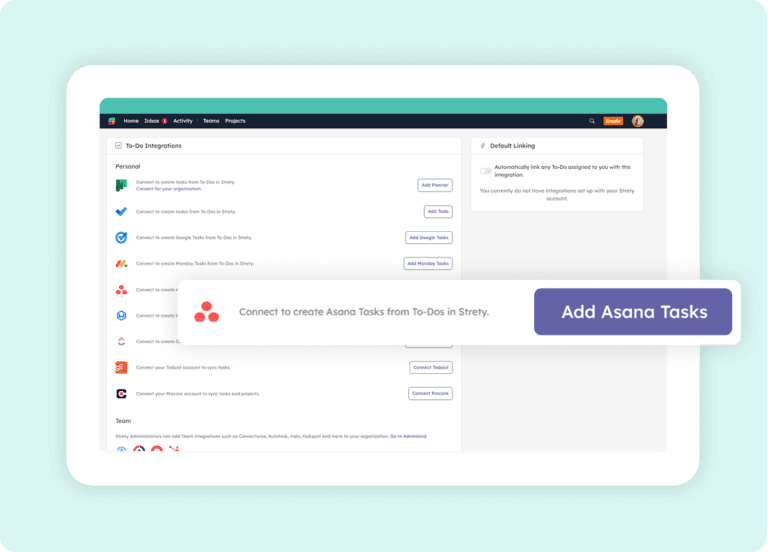
Select Asana
Click on Add Asana Tasks from the list of integrations.
Step 3:
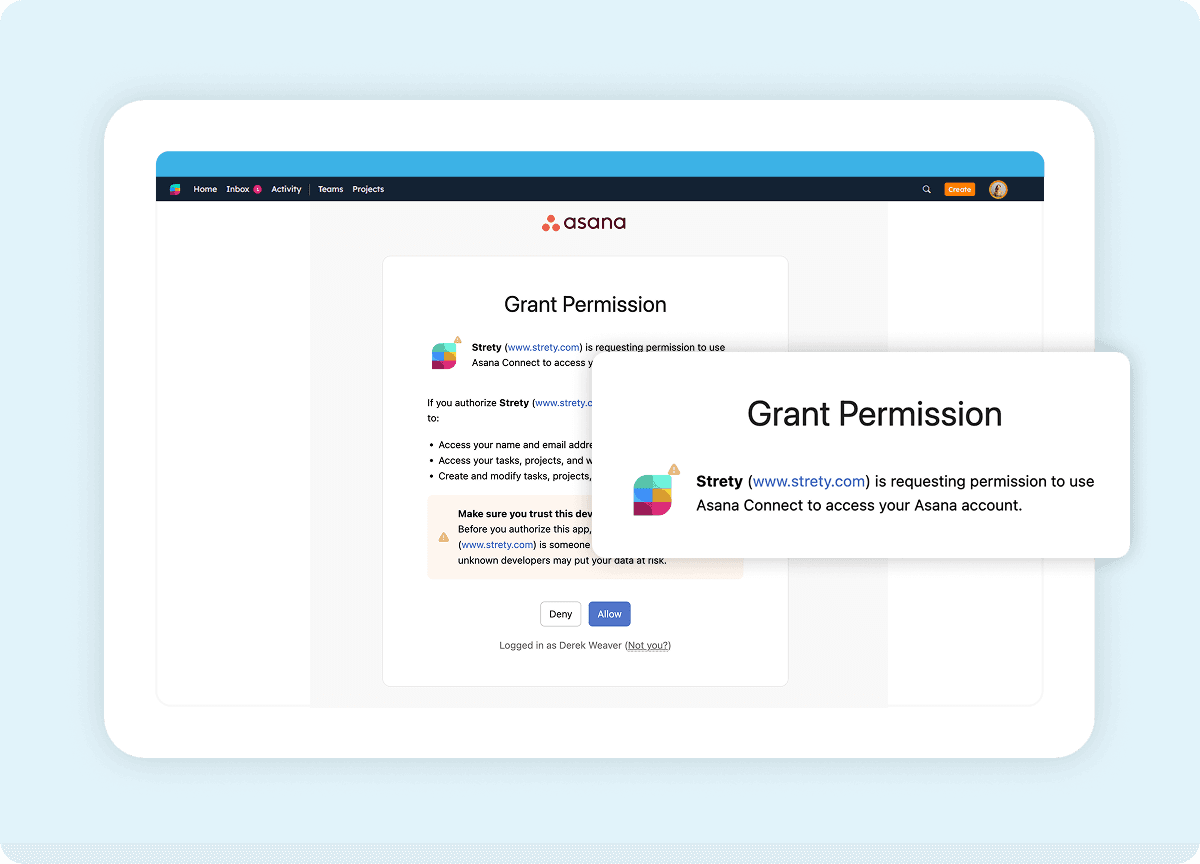
Authorize the connection
Authorize Strety by clicking Allow and following the prompts (using the same email associated with your Strety account).
Step 4:
Create and sync tasks
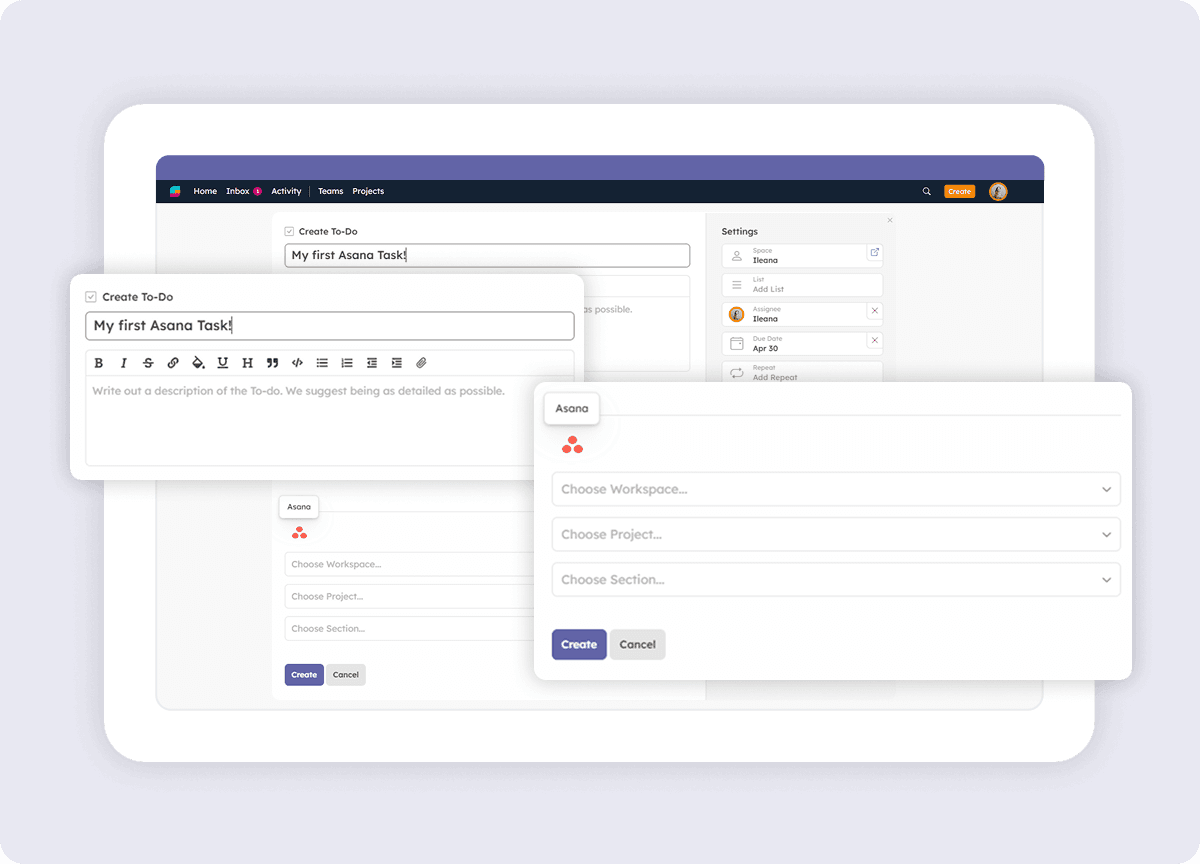
Create your first linked To Do! Create a To Do in Strety, set the Asana Workspace and section. Choose the Workspace, Project and Section, and your To Do will be right where you want it in Asana.

Frequently asked questions about Strety’s Asana Integration
How do I know if Asana has been integrated correctly in Strety?
When you create a To Do in Strety after adding the Asana integration, the Asana icon appears at the bottom of your To Do under “Linked To.” That confirms the integration is connected and ready to sync tasks between the two platforms.
Is the Asana integration included with Strety?
Yes. The Asana integration is part of Strety’s integration ecosystem and available to all users at no additional cost. You’ll just need an active Asana account to connect it.
Does the Asana integration need to be implemented company-wide to work?
No. Asana is a personal integration in Strety, so you can add it to your individual workflow even if your company hasn’t rolled it out to the whole team. Set it up whenever you’re ready.
How do I set Asana as my default integration in Strety?
Once the Asana integration is installed, you’ll see an option to set it as your personal default. When enabled, every new To Do assigned to you will automatically link to Asana — saving you clicks on every task. [Reference: Default Asana To Do Linking help doc.]
What information syncs between Strety and Asana?
The two-way sync covers due dates and completion status. If you change a task’s due date or mark it complete in either Strety or Asana, the linked item updates automatically in the other platform.
How fast is the two-way sync between Strety and Asana?
Strety syncs with Asana every 30 minutes automatically. You can also trigger a manual sync directly from any linked To Do if you need an immediate update.
If I close a task in Asana, does it close the linked To Do in Strety?
Yes. Once a task is marked complete in Asana, the linked To Do will close in Strety on the next sync, thanks to the two-way connection.
Can I mark a linked To Do as complete from Strety?
Yes, if you mark a linked To Do as complete in Strety, it will also be marked completed in Asana.
Are Asana task updates visible in Strety To Dos?
Yes. Date changes and completion status are reflected in the linked Strety To Do automatically through the two-way sync.
Can I set up multiple task integrations in Strety?
Yes. Strety supports multiple To Do integrations, including Asana, Microsoft Planner, Monday.com, HubSpot, ClickUp, Google Tasks, Todoist, and several PSAs. When creating a new To Do, you choose which integration to link it to.
Who is the Strety + Asana integration built for?
The integration is built for EOS teams who run their accountability and meeting cadence in Strety but use Asana for project execution. It’s especially useful for Integrators, Visionaries, and team leads who want their L10 To Dos and Asana tasks to stay aligned without manual updates.
What people love about Strety’s Asana integration 💜

Great EOS tool for project management and performance management with two-way integrations with Microsoft teams, Asana, Slack…etc. Super easy to use!

It’s super easy to use. Makes running meetings very streamlined but the added fun elements help as well. Integration with Asana was a big deal with our team. Customer Support is very quick and personal. Reviews is an added bonus.
More to Explore
Help Docs
Want a full walkthrough on setting up the Strety + Asana integration? Start here.

All Integrations
Discover more of Strety’s integrations to connect your fav tools with your EOS® implementation.
More Features
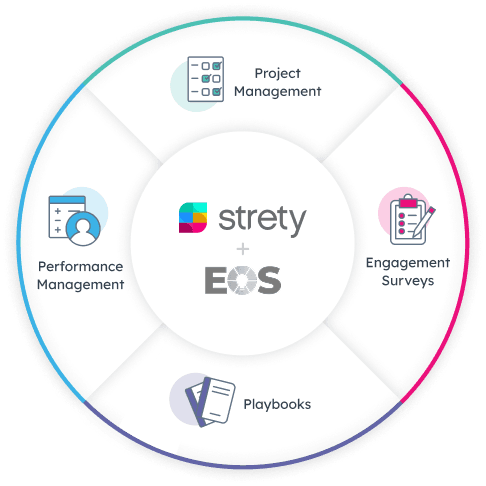
Check out Strety’s built-in tools for EOS® implementation plus everyday execution.
Want to test-drive the Strety + Asana integration?
Start your free trial now to experience for yourself how it feels to integrate your EOS software with your favorite tools. (Spoiler alert: it rocks)