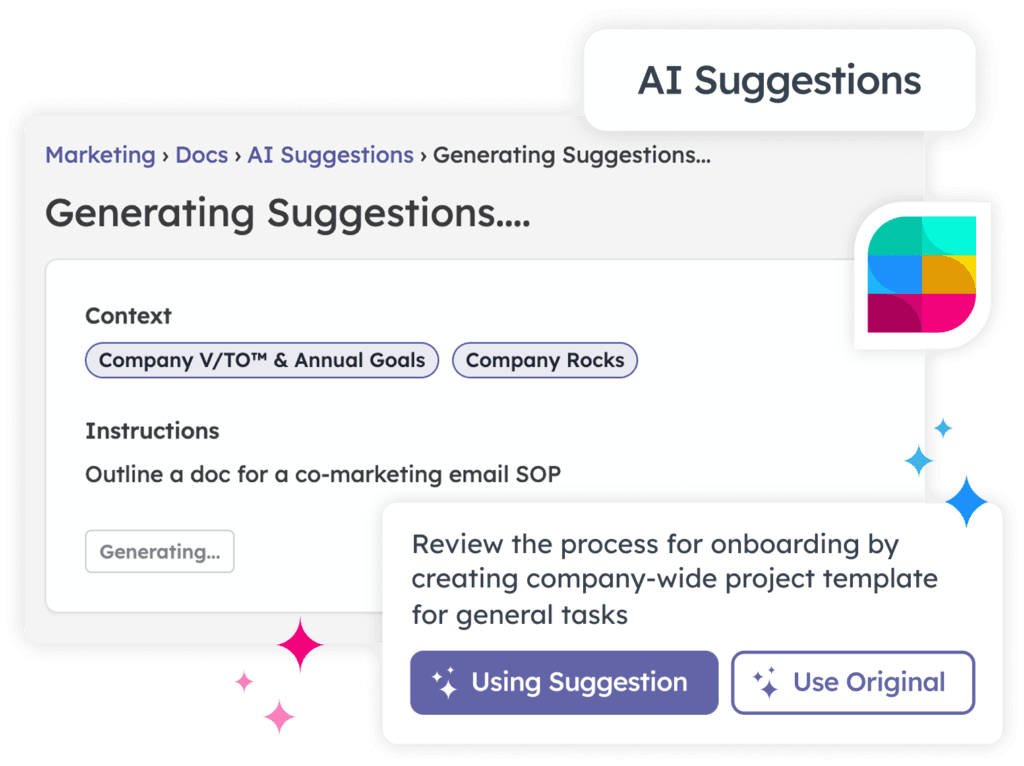
Sometimes the hardest part of getting started with EOS® is… getting started. You sit down to set the quarter’s Rocks, build a Scorecard, or finally document a core process — and the page just stares back at you. Blank.
We know the feeling, because we run our whole company on Strety and we’ve stared at those same blank pages. So we built AI Suggestions to give you a running start.
AI is already normal at work. 71% of organizations now use generative AI in at least one part of the business, according to McKinsey’s 2025 State of AI . Among professional-services teams — a lot of you reading this — Gallup found 62% now use AI at least a few times a year. The opportunity is real, too: McKinsey estimates gen AI can automate the tasks that absorb 60–70% of employees’ time today.
Our AI hands you a solid first draft — guided by EOS-expert-developed prompts and your own company info — so your time goes into refining, shaping, and shipping it. It suggests; you decide. Let’s walk through where it helps. 😅
AI Rock suggestions What it is: AI Rock Suggestions drafts Rock ideas for you in seconds. You choose the context, add a quick prompt, and get on-point suggestions pulled from your company’s existing Rocks, open Issues, and seats.
Where it fits in EOS: Rocks are the 3–7 most important priorities your team commits to for the next 90 days — the Traction side of EOS. Getting them right sets the whole quarter, which is exactly why the blank quarter is so intimidating.
Instead of talking in circles, you start with a draft that fits your real priorities. Every suggestion is a starting point — edit it, assign an owner, set a due date, and put it into motion right away. You stay the decision-maker. The AI just beats the blank quarter.
AI-suggested Rocks, personalized to your priorities. AI Scorecard suggestions What it is: AI Scorecard Suggestions proposes relevant, measurable numbers based on your seats, responsibilities, and goals. You get candidate measurables to choose from in minutes.
Where it fits in EOS: The Scorecard is your handful of weekly numbers — usually 5–15 — that tell you if the business is healthy before the results show up. It’s the Data Component, and picking the right leading indicators is where most teams freeze.
We’ve watched teams spend a whole session debating what to even measure. AI Scorecard Suggestions gets you past that. Start with a draft, keep the numbers that predict results, and drop the ones that don’t. You’re tracking what matters by the end of the meeting instead of promising to figure it out later.
AI-suggested metrics, ready to create. AI Process suggestions What it is: AI Process Suggestions gives you a head start on documenting your core processes. You describe the process, and it drafts a structure you can refine into how your team actually works.
Where it fits in EOS: The Process Component is about identifying your handful of core processes and getting them Followed By All . It’s the component teams most often avoid — mostly because documentation feels like a mountain of blank pages.
Our suggestions follow the EOS three-step approach — Identify, Document and Simplify, Package — with a head start on every sub-process. You begin with real structure and edit it toward your team’s true way of doing things — a much smaller job than a blank page. ✅
AI-structured processes, ready to refine. AI Doc suggestions What it is: AI Doc Suggestions turns a rough idea into a structured SOP or document in seconds — ready for your team to read and follow.
Where it fits in EOS: Docs are how your core processes become real. A process is a map; the SOPs underneath it are the turn-by-turn directions. In Strety, Docs attach to your Core Processes and to roles, so they support the Process Component and make onboarding painless.
Documentation is usually where good intentions go to die. AI Doc Suggestions gets it moving. Turn your rough idea into a draft, then edit it to match how your team truly operates. The hard part — starting — is done.
AI-drafted Docs from your context. AI agenda suggestions What it is: AI Agenda Suggestions builds a focused meeting agenda from a quick prompt, so every minute has a purpose. It’s especially handy for your 1:1s.
Where it fits in EOS: Strong 1:1s are how you support the People Component — the right people in the right seats, GWC conversations, and Quarterly Conversations that keep your team engaged. Those meetings quietly fall apart when nobody sets an agenda.
Skip the from-scratch setup. Turn a few ideas into a ready-to-run agenda in minutes, and give your 1:1s the structure that makes them worth showing up for. When the setup is easy, the meetings actually happen — and your people feel it.
AI agendas, built from your active priorities. A quick word on your data We build AI with your security in mind. Suggestions are generated through a trusted AI provider, and the AI never gets raw or uncontrolled access to your Strety workspace. It only sees the controlled context needed to make a relevant suggestion — nothing more.
You also stay in control of every output. Keep what works, change what doesn’t, and make it yours before you save. Nothing lands in your workspace that you didn’t approve.
Other AI features that help you run EOS AI Suggestions get you started. Two more features help you keep going.
The AI Assistant The AI Assistant is our meeting helper for your Level 10 Meetings and 1:1s. It captures would-be-lost To Dos, writes robust resolution notes, and gives you real IDS feedback on your L10s and a GWC coaching lens on your 1:1s — so your Scribe can actually participate.
It’s built with the same care for your data: zero data retention, recordings auto-deleted after processing, and it joins your call as a visible, named participant. No hidden recording, ever. We wrote about why we built it the way we did in Building the AI Assistant We Actually Wanted .
The Strety MCP The Strety MCP connects your Strety workspace to AI tools like Claude and ChatGPT — or any tool that supports remote MCP servers. In plain terms, it lets you talk to your EOS data in a conversation.
Our own team lives in it. You can ask Claude to review your Company Rocks, flag the ones that aren’t SMART, and leave comments for each owner. You can build an entire Project from a single Rock. You can update a Scorecard number right after a prospect call, without opening the app. These are the small wins that add up.
“Every time we can avoid having to manually enter something, we’re getting back seconds and minutes. MSPs, like most businesses, especially service businesses, are games of inches.” — Georg Dauterman, President, Valiant Technology
Want the full tour? We’ve collected four MCP stories from real operators and nine favorite use cases to get you inspired.
Common mistakes to avoid Treating a suggestion as a decision. Every output is a starting point. Read it, challenge it, and shape it before it becomes a Rock, a number, or a process your team relies on.
Prompting with no context. The more you’ve built in Strety — real Rocks, live Issues, defined seats — the more tailored your suggestions get. Thin context produces generic drafts.
Skipping the human review. The value is in the edit. Keep what fits how your business actually runs, and cut the rest. You know your business better than any model does.
Frequently asked questions How accurate are the AI suggestions? They’re guided by EOS-expert-developed prompts and your own company info, so you get suggestions that fit how EOS works and how your business runs — not generic filler you have to rewrite from scratch.
Where does the AI get its context? It draws on the info already in your workspace — your existing Rocks, recent Issues, seats, and responsibilities — plus any instructions you add. The more context you build in Strety, the more tailored your suggestions get.
Is my company data safe? Yes. Suggestions are generated through a trusted AI provider, and the AI never gets raw or uncontrolled access to your workspace. It only sees the controlled context needed to make a relevant suggestion.
Can I edit what the AI suggests? Always. Every suggestion is a starting point you can shape — keep what works, change what doesn’t, and make it yours before you save.
Which parts of Strety have AI Suggestions? Rocks, Scorecards, Process, Docs, and Agendas. We’ve added AI where it helps you start faster, and we’re adding more over time.
Do I need to be an EOS expert to use them? No. The prompts were built with EOS expertise baked in, so newer teams get a confident starting point and seasoned teams get a faster one.
Does Strety work with Claude or ChatGPT? Yes — through the Strety MCP, which connects your workspace to Claude, ChatGPT, or any tool that supports remote MCP servers.
Get started with a solid draft Blank page syndrome is the quiet tax on getting started with EOS. It slows down your Rocks, your Scorecard, your processes, and the meetings that hold your people together. AI Suggestions hand you a solid first draft across all of them — and the AI Assistant and MCP help you keep the momentum.
We built this because we needed it ourselves. As fellow operators — and an Official EOS Licensee™ — we know how precious your time is, and we want that time going into real thinking and real progress.
Start your free 30-day trial and try AI Suggestions on your next Rock or Scorecard. Or book a demo and we’ll walk you through live examples relevant to your business.